Frequently Asked Questions
Quick answers about Certimon, Telegram alerts, and SSL monitoring.
Is Certimon really free?
Yes. Certimon is 100% free with unlimited domains and no registration. There are no paid plans, ads, or hidden limits.
Why does Certimon exist now that Let's Encrypt stopped expiration emails?
Let's Encrypt ended their expiration notification email service on June 4, 2025. Certimon replaces those alerts by sending real-time SSL expiry notifications via a Telegram bot for any certificate authority, not just Let's Encrypt.
How do I start monitoring an SSL certificate?
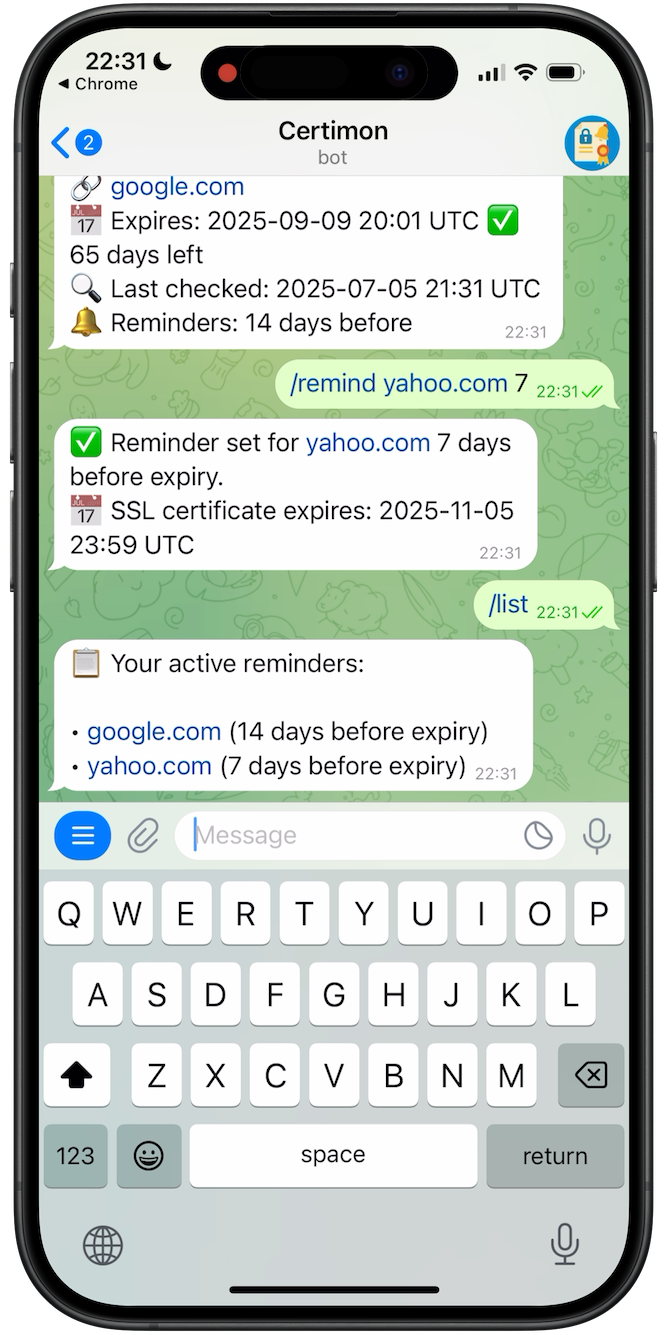
Open @CertimonBot in Telegram, tap Start, and send /remind example.com 30 to get a reminder 30 days before that certificate expires. No account or credit card is required.
Which certificate authorities does Certimon support?
All of them. Certimon checks the live TLS certificate served by the domain over HTTPS, so it works with Let's Encrypt, ZeroSSL, Cloudflare, DigiCert, GoDaddy, Sectigo, internal CAs, or any other issuer.
How often does Certimon check my domains?
Domains you have set reminders for are re-checked automatically on an hourly schedule, and you can run /check anytime for an on-demand verification.
Do I need to install anything?
No. Certimon is a hosted SaaS — pick a delivery channel (Telegram, Microsoft Teams, PagerDuty) and optionally use the web dashboard at app.certimon.com. There is nothing to install on your servers.
How many domains can I monitor — is there a usage limit?
Unlimited. There is no per-domain pricing, no per-account cap, no trial period and no premium tier. Add as many domains as you need with /remind, and run /check on demand.
When will Certimon send me a reminder?
You choose the reminder window. /remind example.com 30 alerts you 30 days before expiry; you can stack multiple windows like 30, 7 and 1 days. Certimon re-checks subscribed domains hourly and pushes a Telegram message as soon as a configured threshold is crossed.
What data does Certimon store about me and my domains?
Only what is needed to deliver reminders: your Telegram chat ID when you use Telegram, your email address when you use email magic-link login, the domains you monitor, your reminder windows, and the latest certificate expiry / last-check timestamp per domain. Certimon never stores private keys, certificate contents, your phone number, or any payment information. See the Trust & Privacy section for the full list.
Do I have to use Telegram, or can I use the web dashboard only?
Not necessarily — the dashboard at app.certimon.com supports both Telegram login and a passwordless email magic-link. Telegram is only required if you want certificate alerts delivered to a Telegram chat (alternative channels include Microsoft Teams and PagerDuty).
How does login to the web dashboard work?
The dashboard supports two passwordless sign-in methods: Telegram's official Login Widget (tap Log in with Telegram, confirm in the app, Certimon verifies the signed payload with its bot secret) and an email magic-link sent to your inbox. There is no password to remember and no separate signup form.